Buying guide · Smart projectors
What is a smart projector, and do you need one in Malaysia?
A smart projector is a projector with a small computer built in: an operating system, usually a version of Android, plus Wi-Fi, Bluetooth and its own storage. It can play files from a USB drive, show a phone's screen and run its own menus with no laptop. Smart changes what the projector connects to, not how sharp or bright the picture is. All seven Neon+ projectors are smart models, from RM799 to RM4,999.
Reviewed 20 November 2026
Key takeaways
In short
- A regular projector shows only what a cable brings it. A smart projector adds an operating system, Wi-Fi, Bluetooth and storage, so it can play files and receive a phone's screen on its own.
- "Android" on a spec sheet does not mean Google Play. Google says only Play Protect certified devices may include Google apps such as the Play Store app.
- Netflix's app runs only on projectors from brands Netflix has partnered with, and Netflix does not support AirPlay. Its own fix is a Netflix-supported device on the projector's HDMI input.
- Five Neon+ models (Q1, C2000, K5, V8 and V6) share one Android 9.0 system, so a price step among them buys hardware. The X5 and X5 Plus also bring a newer system, Android 11.0.
- Every Neon+ model lists wireless screen sharing over the same Wi-Fi network, or outdoors with no network through the projector's own hotspot, plus an HDMI 2.0 input as the cable route.
- Neon+'s 365-day warranty covers manufacturing defects, with 1-to-1 replacement. Apps, updates and compatibility are software matters outside it, so test the apps and phones you depend on before you pay.
On this page16 sections
Method and scope Figures for Neon+ models are as Neon+ publishes them on its product pages, FAQ and terms. App, casting and operating-system points are quoted from Netflix, Google, Apple, Microsoft, the Wi-Fi Alliance and Wikipedia, and household figures from the Department of Statistics Malaysia, all read on 20 November 2026. Nothing here is our own measurement.
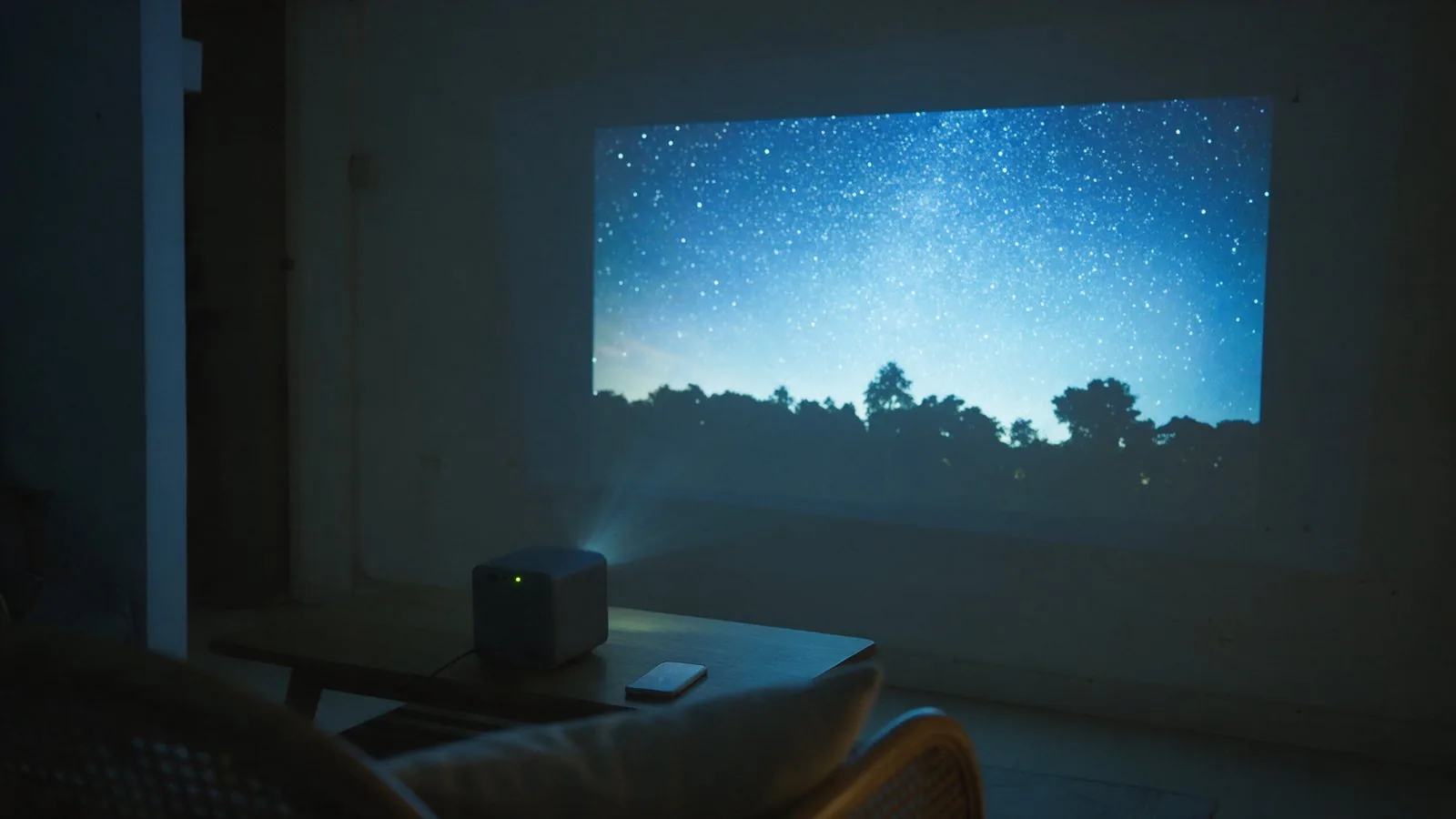
What makes a projector "smart"?
A projector is smart when it carries its own computer: a processor, memory, storage, an operating system, Wi-Fi and Bluetooth. With those parts it can open a film from a USB drive, receive a phone's screen and run apps by itself. A regular projector is a display only. It shows whatever an HDMI cable or another source sends it, and it needs that laptop, player or streaming box to do anything more.
On Neon+'s spec sheets the smart parts sit together under "System parameters", and they come in two builds. The Q1, C2000, K5, V8 and V6 list the same system rows: a CPU written "MTK", a "64-bit CPU: Contex A53 4-core" with a "Mali-G31" GPU, "2GB DDR3" in the row labelled "Cache", "32GB eMMC" in the row labelled "ROM" ("RAM" on the K5 and V6 sheets), and Android 9.0, written "AOSP Android 9.0" on the C2000. The X5 and X5 Plus list a different build: an "MTK9630" CPU with a "Mali-G52" GPU and Android 11.0, beside the same "2GB DDR3" and "32GB eMMC" rows. The eMMC is the built-in storage that apps and saved files share. All seven list Bluetooth 5.0 and 2.4G + 5G dual-band Wi-Fi.
What the computer does not decide is the picture. The five Android 9 models share one system from RM799 to RM3,800, yet their brightness runs fourfold, from 150 ANSI lumens on the Q1 to 600 on the V8 and V6, and their native resolution runs from 960 × 540 on the C2000 and K5 to 1920 × 1080 on the Q1, the cheapest of the seven. The X5 and X5 Plus pair their newer system with 1,600 ANSI lumens. The picture comes from the light source, the imaging chip and the lens, so a smart projector with a dim light source is still a dim projector.
That sets the order of choosing: the room and the picture first, the smart features second. Our guide to choosing a projector by starting with the room covers the first step, and our guide to what projectors cost in Malaysia, and why helps set the budget.
| What you want to do | Smart projector | Regular projector (no operating system) |
|---|---|---|
| Show a phone's screen with no cable | Built in, over Wi-Fi or the projector's own hotspot (all seven Neon+ models list it) | Needs a cable, or a casting device plugged into its HDMI port |
| Play a film saved on a USB drive | From its own menus (all seven Neon+ models list USB drives and mobile hard disks; five of them also list SSDs) | Only if the maker built in a media player; otherwise a laptop or player on HDMI |
| Run streaming apps | Only apps that support that projector (see the Netflix section below) | Needs a streaming stick, laptop or set-top box |
| Pair a Bluetooth speaker, mouse or gamepad | Every Neon+ model lists Bluetooth 5.0 for these | Only if the maker added Bluetooth |
| Show a laptop by cable | Yes: all seven Neon+ models list an HDMI 2.0 input | Yes: this is its main job |
| Brightness and sharpness | Set by the light source, imaging chip and lens | Set by the light source, imaging chip and lens |
What can a smart projector do without a laptop?
Without a laptop, a smart projector can play films and photos from a USB drive or hard disk, show a phone's screen wirelessly, play sound through its own speakers or a Bluetooth speaker, and take a Bluetooth mouse, keyboard or gamepad. Battery models also run without a power socket. Each Neon+ product page lists these line by line, so you can see exactly which ones a model has before you buy.
In Malaysia the source is usually a phone. The Department of Statistics Malaysia (DOSM) found that 99.6 per cent of individuals used a mobile phone in 2025, against 81.5 per cent who used a computer, so a projector that takes a phone's screen or a USB drive directly works with the device nearly everyone already carries.
- Files with no internet. All seven Neon+ models list "U disk, mobile hard disk" under input support. Five of them, all but the X5 and X5 Plus, also list "Support U disk and SSD solid state drive" under extended memory, and the V6 adds a TF card slot of up to 32 GB. A video you own, copied to a USB drive, plays with no Wi-Fi and uses no data.
- A phone's screen, with or without a network. All seven publish the same line: "Support WiFi LAN on the same screen + outdoor no network hotspot on the same screen". Neon+'s FAQ explains it as sharing over the same Wi-Fi network, or outdoors with no network through the projector's own hotspot. Its answer to whether a phone or tablet can connect is direct: "not only can you connect the projector to your mobile device, it is very easy and convenient to do so."
- Sound. Neon+ lists 5W × 2 built-in speakers on five models and 10W × 2 on the X5 and X5 Plus. Every model lists Bluetooth 5.0 for a speaker, every model except the C2000 lists a 3.5 mm audio output, and Neon+ has confirmed that the HDMI port carries sound out as well as picture. Our guide to whether you need an external speaker covers when the built-in pair is enough.
- Controls. The Bluetooth line on every sheet reads "can be connected to an external Bluetooth mouse, Bluetooth speaker, mouse, gamepad", and every remote line adds support for a USB 2.4G wireless remote and a Bluetooth remote mouse. A mouse or keyboard helps when you type a Wi-Fi password or a search.
- Power. Only the C2000, K5 and V8 list a built-in battery; the other four need a socket. Our guide to battery or plug-in projectors compares the two.
Here is how that plays out for a talk at a surau, a school field trip or a camping night with no Wi-Fi to join. A battery model runs from its own charge, the speaker's phone joins the projector's own hotspot, and the slides or video come straight from the phone or from a USB drive. Nothing in that set-up needs a laptop, a socket or an internet connection.
Is an "Android projector" the same as Android TV?
No. "Android projector" only tells you the projector runs some version of Android. Android TV is Google's own TV platform, which comes with apps from Google Play, and a maker can build a projector on Android's open-source code without it. The dividing line is Google's certification: Google says "Only Play Protect certified devices are eligible to include Google apps, like the Google Play Store app."
Android itself is open to anyone. The Android Open Source Project (AOSP), which publishes that code, says: "Anyone is welcome to use the Android source code, but to be considered part of the Android ecosystem, your device must be Android-compatible." A device that passes Google's compatibility tests becomes eligible for "potential licensure of the Android Play Store and the Google Mobile Services (GMS) suite of applications". In plain words, running Android does not by itself bring the Play Store or Google's own apps.
Certification also matters after you buy. Google's Android Help says devices that are not Play Protect certified "may not get Android system updates or app updates", and that "Apps and features on devices without Play Protect certification may not work correctly." Android TV, by contrast, advertises "5,000+ apps from Google Play", with Google's footnote that "Some features and availability vary by OEM and/or device manufacturer."
Neon+'s sheets give each model's Android version (Android 9.0, AOSP Android 9.0 on the C2000, or Android 11.0 on the X5 and X5 Plus) rather than a platform name such as Android TV, Google Play or Play Protect certification. So the dependable way to know your apps is to ask Neon+ which apps your model runs, and open the ones you need on the unit before you buy.
| Words on the sheet | What they tell you | What they do not tell you |
|---|---|---|
| "Android 9.0" or "Android 11.0" | The projector runs that version of Android | Whether Google Play or Google's apps are included |
| "AOSP Android" | It is built on Android's open-source code (AOSP is the project's name) | The same: Google's apps are licensed separately |
| "Android TV" | Google's TV platform, with apps from Google Play | Which apps a given model offers, since availability varies by maker |
| "Play Protect certified" | Passed Android compatibility testing and may include Google apps | Whether a particular streaming service supports that projector |
Where a projector has the Play Store app, Google's own check takes under a minute:
- Open the Google Play Store app.
- Tap the profile icon at the top right.
- Tap Settings, then About, and read the Play Protect certification line.
If there is no Play Store app on the projector, that check does not apply. Ask the seller which apps come installed, and test each one you need.
Which operating system can a smart projector run: Android, Google TV, webOS or Tizen?
A smart projector runs one of four kinds of operating system, or none at all: Android built from the open-source code, Google's own Android TV or Google TV, or a separate system made for smart TVs and similar devices, such as webOS or Tizen. The kind of system decides where the apps come from, so it is the line to read before you count on any app.
| System on the sheet | What it is | Where the apps come from |
|---|---|---|
| "Android" or "AOSP Android" | Android built from the Android Open Source Project's code, which "anyone is welcome to use" | Whatever the maker installs; the Play Store only on Play Protect certified devices |
| "Android TV" | Google's TV platform | Google Play, which Android TV advertises as "5,000+ apps", with availability varying by maker |
| "Google TV" | Google's newer TV experience; Google's developer guide says "All apps built for Android TV work on devices running Google TV" | The same Android TV apps from Google Play |
| "webOS" or "Tizen" | Separate systems for smart devices; Wikipedia describes webOS as "a Linux kernel-based multitasking operating system for smart devices, such as smart TVs" and Tizen as "a Linux-based operating system" | Ask which apps it offers: the Android and Play Protect checks above are for Android devices |
| No operating system | A display only | A laptop, streaming stick or set-top box on the HDMI input |
All seven Neon+ models are in the first row: their sheets list Android 9.0, AOSP Android 9.0 or Android 11.0, and none lists Android TV or Google TV. If a sheet you are comparing does name Android TV or Google TV, Google's Play Protect check in the section above shows whether that device is certified.
Will Netflix, YouTube and other apps work on a smart projector?
Only where the app's maker supports that projector, and for Netflix the rule is written down. Netflix says its app "only works on projectors made by brands that have partnered with us to make sure the app is compatible with their projector model." Neon+ is not on Netflix's list of supported projector brands (read 20 November 2026), and Neon+'s sheets name no apps, so plan to watch Netflix through another device.
"Use a Netflix-supported device (like a computer, streaming stick, or mobile device) and connect it to your projector with an HDMI or other video cable adapter. This will let you stream Netflix from that device to your projector."
Two more Netflix rules catch smart-projector owners out. First, "Netflix doesn't support AirPlay", so an iPhone cannot send Netflix to a projector that way. Second, for screen mirroring in general, Netflix warns that it "may not support certain devices or mirroring apps". The dependable route is a cable: a laptop or supported device on the HDMI 2.0 input that all seven Neon+ models list. Our guide to watching Netflix on a portable projector walks through that set-up step by step.
For YouTube, a local live-TV app or any other streaming service, the service's own list of supported devices is the authority, not a projector's spec sheet. Write down the two or three apps your household actually uses and check each one before you buy. Netflix also publishes the internet speed it needs: 3 Mbps or more for 720p, 5 Mbps for 1080p and 15 Mbps for 4K, so a slow home connection limits picture quality whatever the projector.
How do you share a phone or laptop screen with a smart projector?
It depends on the device you share from. iPhones and iPads use Apple's AirPlay to AirPlay-compatible receivers on the same Wi-Fi network; Windows laptops cast to Miracast displays with the Windows logo key + K; Android phones use their own screen-mirroring setting. Every Neon+ sheet lists wireless screen sharing; to be sure your own phone works with it, try it before you buy, and keep a cable as the fallback.
| Sharing from | The device maker's method | What Neon+ publishes | Cable fallback |
|---|---|---|---|
| iPhone or iPad | Apple: join "the same Wi-Fi network as your Apple TV, AirPlay-compatible smart TV, or Mac", open Control Center, tap Screen Mirroring | Wireless same-screen sharing on all seven | The C2000 lists wired sharing for iPhone and Android; the X5 and X5 Plus list "ios screen projection with a cable" |
| Android phone or tablet | Netflix's help notes that screen mirroring is "usually" in the Settings app, but "the exact name and steps depend on your device" | Wireless same-screen sharing on all seven | The C2000 lists wired sharing for Android phones |
| Windows laptop | Microsoft: press the Windows logo key + K and pick a display "that supports Miracast" | Wireless same-screen sharing on all seven | HDMI 2.0 input on all seven (a USB-C laptop needs its own adapter) |
| No Wi-Fi network at all | Wi-Fi Alliance: Miracast works "between Wi-Fi devices, even if a Wi-Fi network is not available" | "outdoor no network hotspot on the same screen" on all seven | Any of the above |
The sheets list wireless sharing on every model without naming a method, so the surest test is the phone or laptop you will actually use. Neon+'s FAQ says its flagship store will demonstrate the projectors ("Of course we can! Visit our flagship store and come experience the full range"); call ahead and ask whether you can try your own phone and laptop while you are there. For lessons and talks that cannot stall, make the cable the main route and wireless the extra: our projector connections checklist explains the HDMI 2.0 input, and the classroom projector setup guide covers testing a wired fallback.
Do you need Wi-Fi to use a smart projector, and how much data does streaming use?
Not for everything. Films from a USB drive or hard disk, anything on the HDMI input, and Neon+'s hotspot screen sharing all work with no Wi-Fi network. Streaming does need internet: Netflix recommends 5 Mbps or more for 1080p, and its high-definition setting uses up to 3 GB of data an hour. Away from home Wi-Fi, that data has to come from somewhere, usually a phone's mobile plan.
Working offline matters more outside the cities. In DOSM's 2025 survey, 90.7 per cent of rural households had internet access, against 99.0 per cent of urban households, so close to one rural household in ten had none. In those homes, USB playback and the hotspot mode are the smart features that count.
The hotspot mode is worth understanding before an outdoor night. Neon+ describes it as working outdoors with "no network": the hotspot links the phone to the projector so the projector can show the phone's screen, not to the internet. Anything the phone streams in that set-up still arrives over the phone's own connection, which outdoors is usually mobile data.
Worked example: one outdoor film, two ways. Netflix publishes its data use per hour: up to 0.7 GB at its medium (standard quality) setting and up to 3 GB at high definition. Streaming a 2-hour film therefore uses up to 1.4 GB at medium quality or up to 6 GB in high definition, from whatever plan the phone is on. A family video or a school recording you own, copied to a USB drive at home, uses no data at all and does not depend on signal at the campsite or the kampung.
What does each Neon+ smart projector list?
The table sets the seven Neon+ projectors side by side, as Neon+ publishes them. All seven list Bluetooth 5.0, 2.4G + 5G dual-band Wi-Fi, an HDMI 2.0 input, wireless screen sharing with a hotspot mode, and automatic up-and-down keystone correction of ±40°. They differ on price, operating system, brightness, native resolution, sound, battery, cable sharing and remote. To see where these prices sit in the wider market, read our guide to what moves a projector's price.
| Model | Price | Operating system | ANSI lumens | Native resolution | Speakers | Built-in battery | Wired phone sharing | Remote |
|---|---|---|---|---|---|---|---|---|
| Q1 | RM799 | Android 9.0 | 150 | 1920 × 1080 | 5W × 2 | Not listed | Not listed | Infrared |
| C2000 | RM1,359 | AOSP Android 9.0 | 180 | 960 × 540 | 5W × 2 | Yes | iPhone and Android | Infrared |
| K5 | RM2,299 | Android 9.0 | 350 | 960 × 540 | 5W × 2 | Yes | Not listed | Infrared |
| V8 | RM2,899 | Android 9.0 | 600 | 1280 × 800 | 5W × 2 | Yes | Not listed | Infrared |
| V6 | RM3,800 | Android 9.0 | 600 | 1280 × 800 | 5W × 2 | Not listed | Not listed | Infrared |
| X5 | RM4,599 | Android 11.0 | 1600 | 1920 × 1080 | 10W × 2 | Not listed | iOS, with a cable | Bluetooth |
| X5 Plus | RM4,999 | Android 11.0 | 1600 | 1920 × 1080 | 10W × 2 | Not listed | iOS, with a cable | Bluetooth |
Figures are as Neon+ publishes them on each product page. "Not listed" means the published sheet carries no such line. The X5 and X5 Plus also list automatic left-and-right keystone correction, and the X5 Plus comes with two wireless microphones. You can compare all seven on the Neon+ smart projector range page.
What does the extra money buy when every model is already smart?
Among the five Android 9 models, the Q1, C2000, K5, V8 and V6, the system rows are the same, so each price step buys hardware: a battery, brightness, resolution, lower weight, ports or sound. The step up to the X5 and X5 Plus buys hardware and a newer system as well. Laid out step by step, the whole RM4,200 spread from the RM799 Q1 to the RM4,999 X5 Plus shows where the money goes.
| Step | Price difference | What the extra buys | What you give up |
|---|---|---|---|
| From Q1 to C2000 | RM560 more | A built-in battery (130 to 190 minutes by mode), 630 g weight against 1.249 kg, laser auto-focus, wired phone sharing | Native resolution falls from 1920 × 1080 to 960 × 540; brightness rises only from 150 to 180 ANSI lumens; no 3.5 mm audio output |
| From C2000 to K5 | RM940 more | About twice the brightness (350 against 180 ANSI lumens), a longer power-saving runtime (280 minutes), two USB ports, a 3.5 mm audio output | Weight rises to 1.38 kg; no wired phone sharing listed |
| From K5 to V8 | RM600 more | 600 against 350 ANSI lumens, 1280 × 800 against 960 × 540, an Ethernet port listed | Battery time: 100, 120 and 150 minutes by mode against 130, 160 and 280 |
| From V8 to V6 | RM901 more | A lighter body (786 g against 1.443 kg) and a TF card slot of up to 32 GB, at the same 600 ANSI lumens and 1280 × 800 | The built-in battery, and TOF laser focus (the V6 lists electric motor focus) |
| From V6 to X5 | RM799 more | 1,600 against 600 ANSI lumens, 1920 × 1080 against 1280 × 800, 10W × 2 speakers against 5W × 2, a Bluetooth remote, left-and-right keystone correction, iOS sharing by cable, and the newer system: Android 11.0 on an "MTK9630" CPU with a "Mali-G52" GPU | Weight: 2.36 kg against 786 g; power: 85 W against 40 W; no TF card slot or SSD line listed |
| From X5 to X5 Plus | RM400 more | Two wireless microphones, for karaoke | Nothing else: the two published tables are otherwise identical |
Two steps stand out. The V8 costs RM901 less than the V6 and adds a battery at the same brightness and resolution; the V6's extra money buys a body a little over half the weight. And the step from the V6 to the X5 is the only one that changes the chip and the Android version, while it also takes brightness from 600 to 1,600 ANSI lumens.
Battery runtimes show the same thing in minutes. Take a 120-minute film as the test and set it against the runtimes Neon+ publishes for its three battery models:
| Model | Highlight mode | Standard mode | Power-saving mode | A 120-minute film |
|---|---|---|---|---|
| C2000 | 130 min | 170 min | 190 min | Covered in every mode |
| K5 | 130 min | 160 min | 280 min | Covered in every mode |
| V8 | 100 min (600 ANSI) | 120 min (450 ANSI) | 150 min (300 ANSI) | 20 minutes short at full brightness; just enough in standard mode; 30 minutes spare in power-saving |
For the V8, that means choosing standard mode for a full film, or keeping the power adapter within reach.
Between two models? Tell Neon+ your room, your phone and the apps you use, and ask which model fits.
Is a smart projector worth it over a regular projector?
Yes, if what you show will come from a phone, a USB drive or the projector's own menus, because a smart projector removes the extra box and most of the cables. It matters less if you will plug in a laptop or streaming device anyway, and it never replaces choosing the right brightness for your room. How you will use it decides how much the smart part is worth:
| Use | What matters most | What smart adds |
|---|---|---|
| Film nights at home | Brightness for the room and image size; a route for your streaming apps | Phone sharing, files from a USB drive, built-in speakers |
| Classrooms and training rooms | Brightness, and a cable route the teacher's laptop uses every day | A useful extra; keep HDMI as the main route |
| Outdoors, surau talks, camping, balik kampung | A battery, and no reliance on Wi-Fi | Hotspot sharing and local files, with no laptop |
| A Netflix household | A Netflix-supported device on the HDMI input | Little for Netflix itself; the built-in system still handles other files |
| Karaoke and parties | Microphones and speaker volume | Bluetooth speakers; the X5 Plus lists two wireless microphones |
Choose the room and brightness first, then the features, in the order our room-first buying guide sets out. The guide to room light, image size and projector brightness helps with the first step, and our comparison of a projector or a TV covers the bigger choice.
What do app updates and the warranty cover on a smart projector?
Under Neon+'s terms, the 365-day warranty covers manufacturing defects, with labour and parts, and a faulty projector is replaced 1-to-1. It does not cover software. The terms exclude "installation of software or applications" and software updates, and say compatibility issues fall outside the warranty because Neon+ cannot change the Android system. An app that will not install, or a phone that will not pair, is therefore not a warranty fault.
Neon+ states the reason in its own terms and conditions:
"Please note that software-related and compatibility-related issues, are not covered under warranty. Any software bugs, inability to update, compatibility issues, lags, patching, etc is out of our control as the system used in the projector is an Android OS and we have no ability to change/alter the operating system."
This matters more for a smart projector than for a plain one, because the features people buy it for, apps and wireless sharing, are exactly the ones these terms class as software and compatibility. The same section says a diagnostic fee, including shipping, is paid before inspection and is not refunded when the projector "has failed due to software incompatibilities". So test the apps and devices that matter to you before you pay, not after.
Three other parts of Neon+'s terms shape a smart-projector purchase. Warranty service is not accepted for projectors bought from "Unauthorised dealers, resellers or distributors" or as "Second-hand items, including online or offline marketplace platforms". The proof of purchase Neon+ asks for is the "Order ID, name and email of customer", and postage on warranty claims is paid by the customer. And if you find in the first days that you need more, Neon+ lets you upgrade to a higher-tier model within 3 days of purchase. There are no cash refunds. Our guide to owning a Neon+ projector and the full warranty terms give the details.
What mistakes do people make when buying a smart projector?
The most common smart-projector buying mistake is reading "Android" on a spec sheet as a promise of Google Play and Netflix. The others come from the same habit of treating "smart" as a promise about apps, picture or after-sales support that the sheet never made. Six are worth checking for, each with the step that avoids it.
- Reading "Android" as "has Google Play and Netflix". Google limits its apps to Play Protect certified devices, and Netflix its app to partner brands. Ask which apps a model runs, and open them on the unit.
- Paying for "smart" when the real need is brightness. Every Neon+ model is smart, so the choice between them comes down to brightness, resolution, battery and sound. Neon+ publishes ANSI lumens, marked "International standard" on each sheet, so you can compare models like with like; size the brightness to your room first.
- Relying on wireless sharing for a lesson or a talk. Test on the network you will actually use, and keep an HDMI cable and any adapter your laptop needs in the room.
- Buying from a marketplace reseller to save a little. Neon+ does not accept warranty service on projectors from unauthorised dealers or second-hand marketplace sales.
- Expecting the seller to fix apps after purchase. Neon+'s terms put software, updates and compatibility outside the warranty.
- Forgetting the sound route. The C2000 lists no 3.5 mm audio output, so a wired speaker needs HDMI audio or Bluetooth instead.
When does the usual advice not apply?
The usual smart-projector advice, check the apps and keep an HDMI cable, assumes a home with Wi-Fi and a streaming habit. Several common Malaysian situations change that answer, from a kampung hall with no network to an iPhone-only household or a teacher paying in instalments, and some of them make the projector's own smart features matter more, not less.
- You already own a streaming stick or TV box. Then the projector's own system matters little: every Neon+ model lists a set-top box among its inputs and an HDMI 2.0 port. Pick on brightness, size and battery instead.
- There is no Wi-Fi at all. In a kampung hall, a surau or a campsite, the hotspot mode and USB playback are the features that count, and a battery model removes the need for a socket.
- Your household is iPhone-only and wants a cable. Only the C2000, X5 and X5 Plus publish a wired phone-sharing line; for the other four, ask Neon+ before you buy.
- You are a teacher paying in instalments. Neon+ offers 0% instalments for Malaysian teachers; an application and approval are required (PayLater application).
- You live in Sabah or Sarawak. Delivery is free on orders over RM50 across Malaysia, including East Malaysia, but allow up to 3 weeks there. Neon+ also has showrooms in Kota Kinabalu and Sibu, so call ahead and ask which models you can try there before ordering.
How do you check a smart projector before you buy?
Test it with your own devices and your own apps, in the order below; the list works for any smart projector, wherever you buy it. Neon+ has showrooms in Ipoh, Kota Kinabalu and Sibu. Its FAQ says the flagship store will demonstrate the range and that its consultants will give a recommendation for your room's size and layout. The Ipoh headquarters opens 9am to 5pm Monday to Friday and 9am to 1pm on Saturday; call +6012-565 2091 before you go, and ask whether you can try your own phone and laptop on the projector.
- List the two or three apps you need, and check each service's own device list (Netflix's projector list first).
- If the projector has the Play Store app, open Settings, then About, and read the Play Protect certification line.
- Share your own phone's screen both ways the projector offers: over a Wi-Fi network, and through the projector's own hotspot if it has one.
- Plug in the laptop you will use by HDMI, with the adapter it needs, and check picture and sound.
- Play a video from a USB drive you brought.
- Try the built-in speakers, then a Bluetooth speaker if you plan to use one.
- Keep your proof of purchase: for Neon+, that is the Order ID, name and email from your order.
Our projector showroom visit checklist adds what to measure at home before the visit. The Neon+ FAQ has the showroom addresses.
Quick answers
Frequently asked questions
Do you need Wi-Fi to use a smart projector?
No. A smart projector plays files from a USB drive or hard disk and shows anything on its HDMI input with no network. Every Neon+ model also lists screen sharing outdoors with no network, through the projector's own hotspot. Wi-Fi or mobile data is needed only to stream from the internet, and Netflix recommends at least 5 Mbps for 1080p.
Can you mirror an iPhone to a smart projector?
Apple's screen mirroring sends to an Apple TV, an AirPlay-compatible smart TV or a Mac on the same Wi-Fi network, and no Neon+ sheet names AirPlay. The C2000 lists wired sharing for iPhone and Android phones, and the X5 and X5 Plus list iOS screen projection with a cable. For the other models, ask Neon+ whether you can try your own iPhone before you buy. Netflix does not support AirPlay at all.
Is every Neon+ projector a smart projector?
Yes. All seven list an Android operating system, the same "2GB DDR3" and "32GB eMMC" rows, Bluetooth 5.0, 2.4G + 5G dual-band Wi-Fi and wireless screen sharing. Five (Q1, C2000, K5, V8 and V6) share one Android 9.0 system; the X5 and X5 Plus list a newer one, Android 11.0 on an MTK9630 CPU with a Mali-G52 GPU. Prices run from RM799 for the Q1 to RM4,999 for the X5 Plus.
Is a smart projector sharper or brighter than a regular one?
Not because it is smart. Brightness and sharpness come from the light source, the imaging chip and the lens. The five Neon+ models that share one Android 9.0 system run from 150 to 600 ANSI lumens and from 960 × 540 to 1920 × 1080; the X5 and X5 Plus, on their newer system, list 1,600 ANSI lumens.
Does a smart projector get app and software updates?
It depends on the maker and on certification. Google says devices that are not Play Protect certified "may not get Android system updates or app updates". Neon+'s terms say software bugs, updates and compatibility are outside its warranty because it cannot alter the Android system. Ask about updates before you buy, and check the apps you need on the unit.
Sources
Sources
- Netflix Help Center: How to watch Netflix on your projector
- Netflix Help Center: How to cast or mirror Netflix from your mobile device
- Netflix Help Center: Netflix-recommended internet speeds
- Netflix Help Center: How to control how much data Netflix uses
- Android Open Source Project: Android Compatibility program overview
- Google Android Help: Check and fix Play Protect certification status
- Android TV
- Android Developers: Best practices to drive engagement on Google TV
- Wikipedia: webOS and Wikipedia: Tizen
- Apple Support: Use AirPlay to stream video or mirror the screen of your iPhone or iPad
- Microsoft Support: Screen mirroring and projecting to a wireless display
- Wi-Fi Alliance: Miracast
- Department of Statistics Malaysia: ICT Use and Access by Individuals and Households Survey Report, 2025 (released 23 April 2026)
- Neon+ product pages (Q1, C2000, K5, V8, V6, X5, X5 Plus), the Neon+ FAQ and the Neon+ Terms & Conditions, section 6, figures and wording as published, read 20 November 2026.
Not sure which Neon+ smart projector fits?
Tell Neon+ the room, the devices you will connect and the apps you use, and ask which model suits you. Call +6012-565 2091 or email info@neonplus.com.my (Monday to Friday 9am to 5pm, Saturday 9am to 1pm).
More Neon+ guides and pages
- About Neon+, the portable projector brand from Ipoh
- Contact Neon+: phone, email and the Ipoh showroom
- Neon+ questions, answered
- Projector glossary: spec-sheet terms, defined
- Neon+ projector guides
- Neon+ privacy policy
- Neon+ V6 projector specifications
- How to choose a portable projector: start with the room
- Native resolution vs supported input: what projector buyers should check
- Battery projector or externally powered projector?
- How room light and image size affect projector brightness in a classroom
- Which projector connections should you check before buying?
- Do you need an external speaker with a portable projector?
- What comes in a Neon+ projector box, and what else do you need?
- Can you watch Netflix on a portable projector?
- Auto focus or manual focus: which projector suits how you use it?
- How much electricity does a portable projector use, and what does it cost to run?
- Projector or TV: which suits your classroom or living room?
- DLP or LCD projector: what the difference means when you buy
- Projector price in Malaysia: what drives the cost, and what each price buys
- How to set up a classroom projector in Malaysia
- What a 1.2:1 throw ratio means for projector distance and placement
- Classroom projector setup checklist: pre-lesson checks
- Projector screen, white wall or whiteboard: what should you project onto?
- Neon+ warranty, delivery and support: what to know before you buy
- Projector showroom visit checklist: what to measure and test
- How do you clean and store a projector in Malaysia's humidity?