Brightness guide · Classrooms
How room light and image size affect projector brightness in a classroom
Room light and image size decide how bright a projector looks, not the lumen rating alone. Room light washes out dark areas and cuts contrast. A larger image spreads the same light over more area, which grows with the square of the width: double the width and each part gets a quarter of the light. No classroom lumen standard settles it, so judge from the back row at your planned width, lit as in class.
Reviewed 22 September 2026
Key takeaways
Five things to know before judging brightness
- ANSI lumens measure what the projector puts out; what a viewer sees also depends on room light, image size and the wall.
- Room light mainly erodes contrast: it lifts dark areas towards grey, so the gap between dark and bright shrinks.
- Image area grows with the square of the width, so a picture twice as wide gets a quarter of the light on each part.
- No classroom lumen standard appears in the sources behind this guide. BenQ Malaysia's home-theatre reference (1,500 to 2,000 lumens for a 100- to 120-inch image in a dark room, 3,000 or more with ambient light) is a conservative starting point, not a pass mark; the back-row trial decides.
- Neon+ lists brightness from 150 ANSI lumens (Q1) to 1,600 (X5 and X5 Plus). None of these figures is a promise about a particular classroom.
Method and scope Based on BenQ Malaysia's brightness guidance, AVIXA's image system contrast ratio standard and the specification tables Neon+ publishes on its product pages, all checked on 22 September 2026. Image-area and scaled-lumen figures are our arithmetic, not measurements.
What do ANSI lumens tell a projector buyer?
ANSI lumens describe how much light a projector puts out, measured under a standard method, which makes them useful for comparing one stated output with another. ANSI lumens do not measure what reaches a viewer's eyes. BenQ Malaysia's brightness guide names ambient light, screen size and colour accuracy as factors alongside the lumen figure.
BenQ Malaysia puts it plainly: "how bright your image actually looks depends on more than just the numbers." Treat a lumen rating as the starting quantity of light, then follow it through the chain below to the back row. Brightness is one line of the room-first projector buying guide, alongside throw distance, resolution and power.
- Lens The stated output, in ANSI lumens
- Image width Spreads the light over more area
- Wall The screen or wall surface and its colour
- Room light Daylight and lights left on
- Content Small text, thin lines, dark scenes
- Seat The distance to the back row
How does room light affect a projected image?
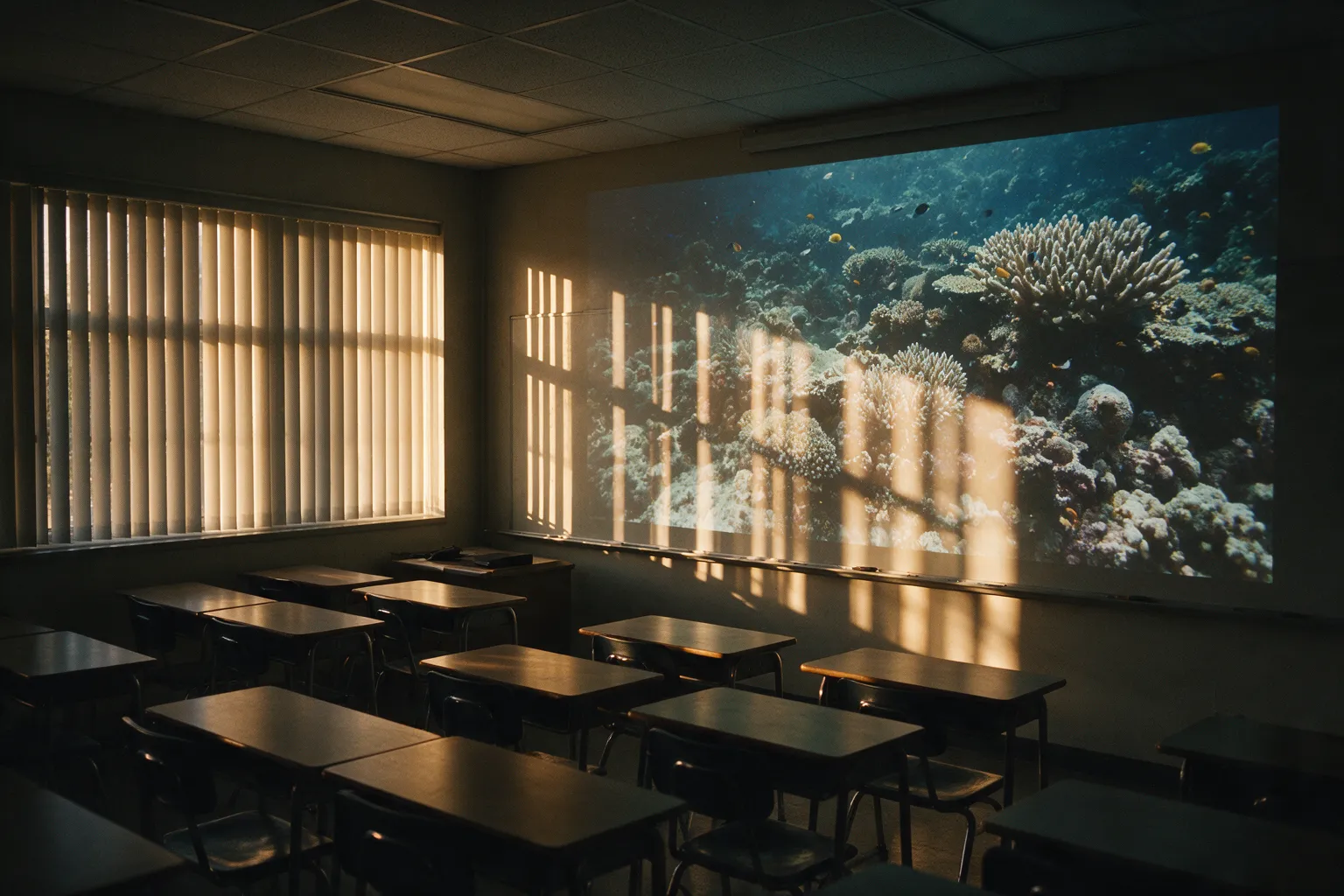
Room light affects a projected image by adding brightness everywhere, including the parts that should be dark. Daylight and ceiling lights land on the same wall as the picture, so blacks turn grey and the gap between dark and bright shrinks. That gap is contrast, and it is what makes text and diagram lines stand out. A shaded morning demonstration may not represent an afternoon class.
AVIXA's contrast standard measures contrast in the room as it is normally used. Its Image System Contrast Ratio standard counts "the display, sources, signal distribution, and the environment" as part of the system, and says its measurements "are taken in the system’s typical use case (e.g., classroom with ambient light and a video distribution system throughout the school)." Record which lights stay on and whether daylight falls on the image area.
| Factor | What changes | What suffers first | What you control |
|---|---|---|---|
| Room light | Extra light falls on the picture | Contrast: dark areas turn grey | Blinds, lights left on, which wall faces the windows |
| Image size | The same light covers more area | Brightness of the whole picture | Image width, which also sets throw distance |
Why does a larger image usually look less bright?
A larger projected image looks less bright because the projector's light is spread across the whole picture, and the picture's area grows with the square of its width. Make the image twice as wide and it covers four times the area, so each part receives a quarter of the light, with the projector, mode and room unchanged. A picture that looks strong at showroom size can feel weak across a classroom wall.
BenQ Malaysia gives the same reason: the projector's brightness "gets spread over a bigger surface area—reducing how bright the image appears to your eyes." As a rule of thumb, every 1.4-times increase in image width halves the light on each part of the picture.
| Image width | Image area | Light on each part, vs 1 m wide |
|---|---|---|
| 1.0 m | 0.63 m² | 100% |
| 1.5 m | 1.41 m² | 44% |
| 2.0 m | 2.50 m² | 25% |
| 2.4 m | 3.60 m² | 17% |
A 16:9 picture of the same width is about 10% smaller in area than a 16:10 one. Width also sets where the projector stands; the throw ratio guide converts one into the other.
How many lumens does a classroom projector need?
No classroom-specific lumen standard appears in the sources behind this guide, so the number a classroom needs comes from a back-row trial at the planned image width, with the room lit as it will be in class. The closest published reference is BenQ Malaysia's home-theatre guidance, which this section scales by image area into a conservative, home-cinema-derived ceiling to start from.
What BenQ Malaysia's home-theatre figures say
BenQ's exact wording is: "When projecting a 100” to 120” screen, most home theater setups perform well with 1,500 to 2,000 lumens in dark rooms." It continues: "But if your throw distance increases or if you’re in a room with ambient light, you’ll want to look for projectors with 3,000 lumens or more to avoid a dull image." Those figures describe home-theatre setups, in plain lumens rather than ANSI lumens, not classrooms.
The same figures scaled to classroom image widths
The table applies BenQ's figures at 100 inches (about 2.21 m wide at 16:9), the stricter end of BenQ's 100–120-inch range, which works out to about 540–730 lumens per square metre of image in a dark room and 1,090 or more with ambient light. BenQ gives no screen size for the 3,000, so reading it at 100 inches is our assumption.
| Image width | Dark room (scaled from 1,500–2,000) | Ambient light (scaled from 3,000+, read at 100 inches) |
|---|---|---|
| 1.0 m | about 340–450 lumens | about 680 lumens or more |
| 1.5 m | about 770–1,020 lumens | about 1,530 lumens or more |
| 2.0 m | about 1,360–1,810 lumens | about 2,720 lumens or more |
| 2.4 m | about 1,960–2,610 lumens | about 3,920 lumens or more |
Why the back-row trial carries the verdict
Read the table as a ceiling to start from, not a pass mark. It comes from home-theatre setups, it assumes our reading of BenQ's 3,000-lumen figure, and scaling ignores the wall's colour and finish and what is on screen, all of which change what viewers see. A projector below the scaled figure is not ruled out for a classroom, and one above it is not guaranteed to pass: the three-session trial and the back-row checks below decide. If the back row struggles, a narrower image or more shade on the image wall is the first thing to try.
What should a classroom brightness trial record?
A fair classroom brightness trial fixes the image width, the viewing seat and the content, then changes only the light. Record the time, the daylight, the lights left on, the projector model and the picture or power mode for each session. Use the actual wall or screen if you can. The classroom projector setup guide uses the same three sessions, so one trial serves both purposes.
Every session: your planned image width (2.0 m in this example), the same measured back-row seat, and the same four items (a small-print worksheet, a thin-line chart, a dark video scene and a colour-coded diagram). Note which of the four still reads from the back row.
| Session | Daylight | Room lights | Why this session |
|---|---|---|---|
| Morning lesson | Blinds as normally used | As teachers normally leave them | The light most lessons start in |
| Brightest period | Strongest sun, blinds as normally used | As teachers normally leave them | The most daylight on the image |
| Lights on | Blinds as normally used | Every light that must stay on for note-taking | The most room light a lesson needs |
Record the power mode on a battery model. Neon+ lists the V8 at 600 ANSI lumens in highlight mode, 450 in standard mode and 300 in power-saving mode, so a trial run in the wrong mode tests a different brightness.
How do you tell if a classroom projector is bright enough from the back row?
From the back row, a classroom projector is bright enough when four things stay clear: the smallest line of paragraph text, thin chart and grid lines, detail in dark video scenes, and colour-coded diagrams. Then switch on the lights that must stay on and check again. This matches AVIXA's principle that contrast is measured in the room's typical use, such as a "classroom with ambient light", rather than on a spec sheet.
- Paragraph text. Can the smallest line of a worksheet be read without leaning forward?
- Thin chart lines. Do grid lines and axis labels still show, or do they vanish into the background?
- Dark video scenes. Is there detail in the shadows, or has room light turned them flat grey?
- Colour-coded diagrams. Can learners tell the colours apart, especially yellow on white?
If text fails but video passes, check focus and native resolution first; the native resolution guide explains why small text shows it most. If both are sharp, room light or image width is the likely cause. Change one thing at a time. The pre-lesson projector checklist turns these checks into a routine for every lesson.
What brightness does Neon+ publish for each projector?
Neon+ publishes an ANSI lumen figure for every projector in its range, from 150 ANSI lumens for the Q1 to 1,600 for the X5 and X5 Plus. The V6 and V8 each list 600. Neon+'s product pages do not pair any figure with a room size or lighting condition, so treat each number as the starting point for a trial, not a room result.
| Model | Brightness (as published) | Resolution (as published) |
|---|---|---|
| Q1 | 150 ANSI lumens | 1920 × 1080 |
| C2000 | 180 ANSI lumens | 960 × 540 |
| K5 | 350 ANSI lumens | 960 × 540 |
| V8 | 600 ANSI lumens | 1280 × 800 |
| V6 | 600 ANSI lumens | 1280 × 800 |
| X5 | 1,600 ANSI lumens | 1920 × 1080 |
| X5 Plus | 1,600 ANSI lumens | 1920 × 1080 |
Take each published figure into a trial at your planned width; the home-theatre-derived ceiling in section 04 is context for that trial, not a verdict on any model. Compare the full range on the Neon+ smart projector page, and send trial notes through the Neon+ contact page.
Quick answers
What do teachers ask about classroom projector brightness?
Lumens and image size
How many lumens does a classroom projector need?
No classroom lumen standard appears in the sources behind this guide, so the answer for a given room comes from a back-row trial at the planned image width. The closest published reference is BenQ Malaysia's home-theatre guidance: 1,500 to 2,000 lumens for most 100- to 120-inch setups in a dark room, and 3,000 or more once throw distance increases or ambient light comes in. That is a home-cinema figure in plain lumens, not a classroom rule.
Why does a projector look dimmer when the image is larger?
A projector looks dimmer on a larger image because the same light covers more area. Image area grows with the square of the width, so a picture twice as wide gets a quarter of the light on each part, with nothing else changed. Going from 1.0 m to 1.5 m wide already cuts the light on each part to 44%.
Neon+ brightness figures
Is 600 ANSI lumens enough for my classroom?
Whether 600 ANSI lumens is enough for a classroom depends on the room light, the image width and what you show; no classroom standard settles it. Keep the image only as wide as the back row needs, since each 1.4-times increase in width halves the light on each part. If small text, thin lines, dark scenes and colour-coded diagrams stay clear from the back row with the lights that must stay on, 600 is enough for that room.
Which Neon+ projector is the brightest?
The brightest Neon+ projectors are the X5 and X5 Plus, which Neon+ lists at 1,600 ANSI lumens each. The V6 and V8 list 600, the K5 350, the C2000 180 and the Q1 150. Those are stated outputs; the room and the image width still decide what the back row sees.
Sources
Where do the figures on this page come from?
- BenQ Malaysia, projector brightness and lumens guide: the factors of ambient light, screen size and colour accuracy; brightness spread over a bigger surface; the 1,500–2,000 and 3,000-lumen home-theatre reference points.
- AVIXA, Image System Contrast Ratio standard: contrast measured in the system's typical use case, including a classroom with ambient light.
- Neon+ product pages, specification tables as published on 22 September 2026: Q1, C2000, K5, V8, V6, X5 and X5 Plus: ANSI lumen figures, resolutions and the V8's brightness by power mode.
Image-area percentages and scaled lumen figures are arithmetic, not measurements. BenQ's and AVIXA's guidance explains the category; neither describes or endorses any Neon+ model.
Where should you send your brightness trial notes?
Send Neon+ your planned image width, the distance to the back row, the light in each session and what the back row could read, and ask which Neon+ model fits that width and light.
More Neon+ guides and pages
- About Neon+, the portable projector brand from Ipoh
- Contact Neon+: phone, email and the Ipoh showroom
- Neon+ questions, answered
- Projector glossary: spec-sheet terms, defined
- Neon+ projector guides
- Neon+ privacy policy
- Neon+ V6 projector specifications
- How to choose a portable projector: start with the room
- How to set up a classroom projector in Malaysia
- Neon+ warranty, delivery and support: what to know before you buy
- Native resolution vs supported input: what projector buyers should check
- Battery projector or externally powered projector?
- What a 1.2:1 throw ratio means for projector placement
- Classroom projector setup checklist: pre-lesson checks