Setup guide · Projection surface
Projector screen, white wall or whiteboard: what should you project onto?
For most portable projectors a smooth, flat, matte white wall is good enough: BenQ Malaysia says you can project on a flat, white wall. Avoid an ordinary glossy whiteboard, which throws back glare and a bright hotspot. Buy a screen when the wall is rough, coloured or dark; none of the seven Neon+ boxes includes one.
Reviewed 6 November 2026
Key takeaways
In short
- A flat, smooth, matte white wall works with most projectors. Paint cannot make a rough wall smooth, a coloured wall tints the picture and a dark wall dims it.
- A regular glossy whiteboard causes glare and hotspotting. Boards made for projection, such as Epson's, use a medium-gloss surface instead.
- Gain compares a surface with a 1.0 white reference. Higher gain dims the picture for the side seats, so we suggest about 1.0 for a classroom.
- Grey surfaces return less light. Elite Screens suggests considering grey for a low-contrast projector above 1,500 lumens; of the seven Neon+ models, only the X5 and X5 Plus list more than that.
- Elite Screens' rule of thumb is to spend about 30% of the projector's price on the screen.
On this page7 sections
Method and scope Surface guidance is quoted from BenQ Malaysia, Elite Screens, Epson, ProjectorScreen.com (Draper Inc.), ProjectorCentral, Projectorpoint and AWOL Vision, read on 6 November 2026. Brightness, contrast, prices and in-the-box lists are as Neon+ publishes them on its product pages. The screen budgets are our arithmetic with Elite Screens' 30% rule of thumb, not Neon+ prices for any screen.
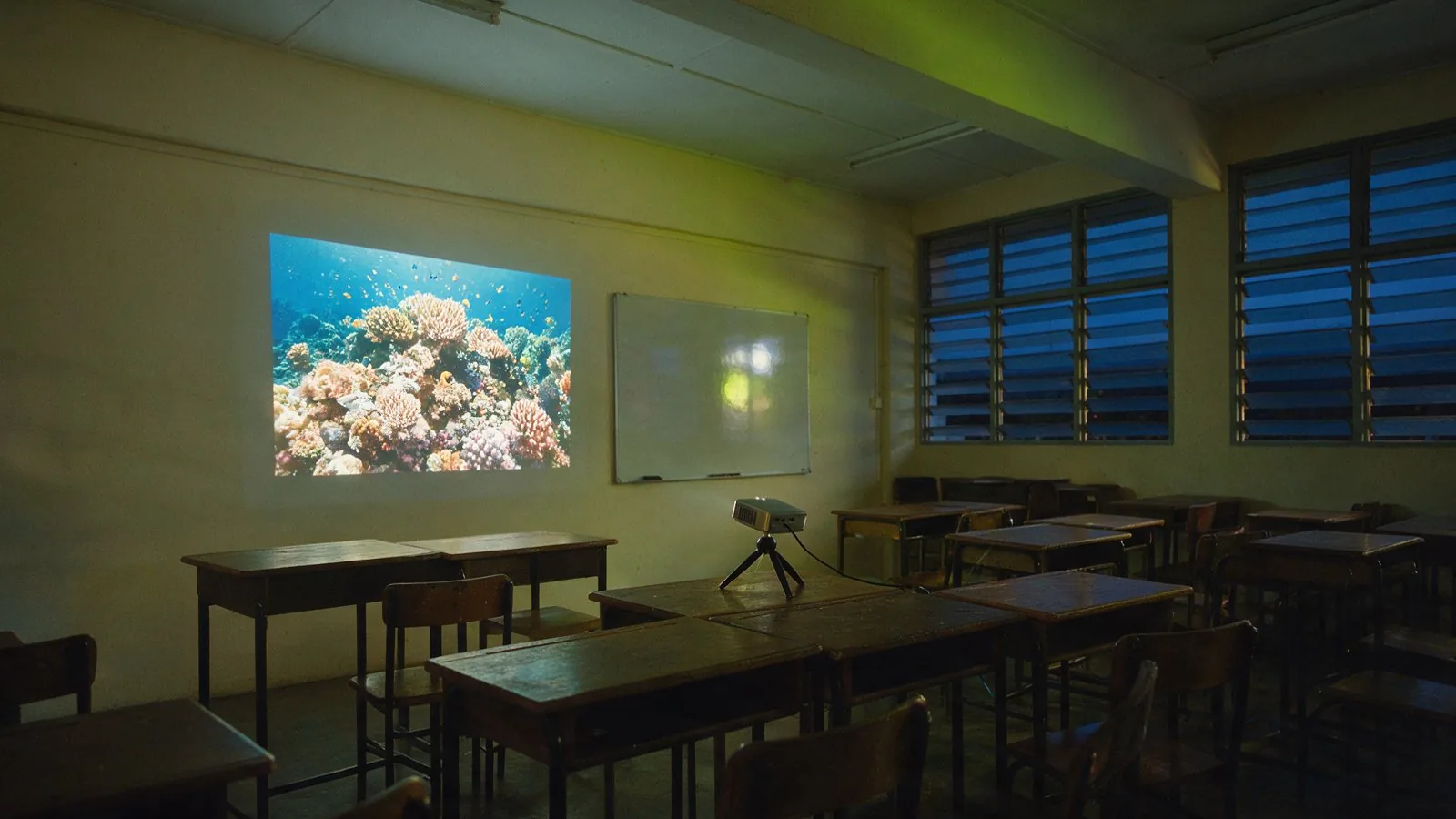
Is a white wall good enough for a projector?
Yes, if the wall is flat, smooth and white. In its FAQ for the GV30 portable projector, BenQ Malaysia answers "Yes, you can project on a flat, white wall with the projector", and BenQ adds that projectors "typically work best with white backgrounds". AWOL Vision goes one step further: "Ideally, walls used for projection should be painted matte white."
Smoothness matters as much as colour. Paint helps the colour, not the texture:
"Although projector paint makes a surface more reflective, it won’t make a rough wall surface smooth enough to receive a projector image without blurring or distorting it."
Projectorpoint, UK projector retailer
Colour is the second check. BenQ says most projectors "expect a highly reflective surface like a white screen or wall", and that on a typical business projector "a wall painted non-white will cause massive image quality deterioration". AWOL Vision gives the example that "a blue or green wall may tint the entire image", and notes that darker walls absorb more light and give a dimmer picture. For a projector that stays in one place, Projectorpoint suggests a border of black velvet tape or a wooden frame so the eye stays on the image.
A white wall still has to compete with room light: see our guide to room light, image size and brightness, and the classroom projector setup guide for placement.
Can you project onto a classroom whiteboard?
You can, but an ordinary dry-erase whiteboard makes a poor screen: its high gloss throws back glare and a bright hotspot. A board made for projection, such as Epson's, is the exception. Otherwise a flat, matte white wall or a screen is the safer surface for a lesson.
Draper's Terry Coffey wrote in 2017:
"Classrooms used for interactive projection often have regular whiteboards, but they aren’t a good solution. Their high gloss level creates problems with glare, hotspotting, and possible interference with interactive functions of the projector."
Terry Coffey, Draper Inc., writing on ProjectorScreen.com, 2017
Epson describes its 100-inch projection whiteboard as "a bright-white, medium-gloss magnetic surface" that gives "minimal glare or reflection".
Before a lesson, run a quick test. Project a plain white slide on the board, then walk to the front corners and the back row. If a bright patch follows you or text washes out from some seats, use a wall or a screen instead. The classroom projector setup checklist has the rest of the pre-lesson checks.
What do screen gain and half-gain mean?
Gain is how much light a surface reflects straight back, compared with a white reference. Elite Screens defines the reference as "an NIST traceable lambertian white reference standard which has a 1.0 gain", and says "the higher the gain number, the more luminance a screen reflects back".
Higher gain is not free. Elite Screens describes high-gain screens as concentrating light into a narrower cone, "typically >1.3 gain", and defines half-gain as the angle off-centre at which "picture brightness diminishes by 50%". Elite Screens describes matte white as typically reflecting light equally from 0° to 180° off-axis. Projectorpoint calls a gain of 1.0 "ideal for most purposes", and with many classroom seats off-centre, we would start there. The projector glossary defines the other spec-sheet terms.
White or grey: which surface suits a portable projector?
For most portable projectors, white. A grey surface absorbs room light, which keeps blacks darker. ProjectorCentral says "the gray screen absorbs ambient light that strikes it better than a white screen does". The cost is brightness, which Elite Screens states plainly:
"Contrast gray is primarily used to improve black levels but the diminished light return should always be considered."
Elite Screens
Elite Screens suggests considering grey for a projector "with a low contrast ratio at about 2000:1 with a high output that exceeds 1500 lumens". Here is how the Neon+ range compares, as published. Six of the seven specification tables also list a full-on/full-off contrast of 1000:1; the Q1's table lists none.
| Neon+ model | Brightness (ANSI lumens) |
|---|---|
| Q1 | 150 |
| C2000 | 180 |
| K5 | 350 |
| V8 | 600 |
| V6 | 600 |
| X5 | 1600 |
| X5 Plus | 1600 |
That 1000:1 is half the 2000:1 example in Elite Screens' advice, but only the X5 and X5 Plus list more than 1,500 lumens. The other five list 150 to 600 ANSI lumens, so a white wall or a white, around-1.0 screen keeps the light you have. Projectorpoint's general rule is grey for brighter rooms, but on these figures that fits only an X5 or X5 Plus in a room that stays lit.
Even with the lights off, ProjectorCentral notes, light from the screen "will bounce off of the reflective elements in the room and back onto the screen" when walls and ceilings are pale.
When is a projector screen worth buying, and what should it cost?
Buy a screen when the wall fails the checks above: it is rough, coloured or dark, or the only flat surface is a glossy whiteboard. None of the seven Neon+ in-the-box lists names a screen (see what comes in a Neon+ projector box), so plan for this before the first lesson.
Room light calls for a different kind of screen. ProjectorScreen.com notes that "the lights often need to stay on in most classrooms to allow note-taking" and that "an ambient light rejection screen should be considered", though the most light-rejecting materials can show hot spotting and "typically have narrow viewing cones". Our throw ratio guide shows how image size follows from distance, and the brightness guide shows why a bigger picture asks more of the surface.
For budget, Elite Screens' rule of thumb is to keep the screen to about 30% of the projector's cost. On Neon+ prices, 30% of the Q1's RM799 is about RM240, of the V6's RM3,800 is RM1,140, and of the X5 Plus's RM4,999 is about RM1,500. For a Q1 carried between rooms, that budget argues for finding a good white wall in each room first.
Quick answers
Frequently asked questions
Do Neon+ projectors come with a screen?
No. None of the seven published Neon+ in-the-box lists names a projection screen. They list the projector, a remote and power parts, plus a tripod, bag, HDMI cable or microphones on some models, so plan on a white wall or a separate screen.
Can I use the classroom whiteboard as a projector screen?
Only if it is a board made for projection. A regular whiteboard's high gloss causes glare and hotspotting. Projection whiteboards such as Epson's use a bright-white, medium-gloss surface for minimal glare or reflection. Test with a plain white slide from several seats first.
What screen gain should I choose for a classroom?
We suggest around 1.0. Projectorpoint calls a gain of 1.0 ideal for most purposes, and Elite Screens measures gain against a 1.0 white reference. High-gain screens, typically above 1.3, concentrate light into a narrower cone, so students at the sides see a dimmer picture.
Is a grey screen better when the classroom lights stay on?
Only with a bright projector. Grey absorbs room light but also returns less of the projector's light. Elite Screens suggests considering grey for a low-contrast projector above 1,500 lumens, which in the Neon+ range means the X5 and X5 Plus (1600 ANSI lumens, as published).
How much should I spend on a projector screen?
Elite Screens suggests about 30% of the projector's price. On Neon+ prices, that is about RM240 of the Q1's RM799, RM1,140 of the V6's RM3,800 and about RM1,500 of the X5 Plus's RM4,999. For a Q1 carried between rooms, finding a good white wall in each room comes first.
Sources
Sources
- BenQ Malaysia: Can I use the projector without a screen?
- BenQ Malaysia: Colorful walls, no screen, but still want a projector?
- Elite Screens: Quick guide to projection screen terminology
- Elite Screens FAQ: choosing a screen for a projector
- Epson: 100-inch whiteboard for projection and dry erase
- ProjectorScreen.com (Draper Inc.): Making the most of classroom projection
- ProjectorCentral: Should I use white or gray projection screens?
- Projectorpoint: Projector screen vs wall
- AWOL Vision: Projector screen vs wall
- Neon+ product pages (all seven projectors): brightness, contrast, prices and in-the-box lists, as published.
Not sure what to project onto?
Tell Neon+ which model you have or are considering, the size and colour of the wall, and whether the lights stay on, and ask what surface suits the room.
More Neon+ guides and pages
- About Neon+, the portable projector brand from Ipoh
- Contact Neon+: phone, email and the Ipoh showroom
- Neon+ questions, answered
- Projector glossary: spec-sheet terms, defined
- Neon+ projector guides
- Neon+ privacy policy
- Neon+ V6 projector specifications
- How to choose a portable projector: start with the room
- Native resolution vs supported input: what projector buyers should check
- Battery projector or externally powered projector?
- How room light and image size affect projector brightness in a classroom
- Which projector connections should you check before buying?
- Do you need an external speaker with a portable projector?
- What comes in a Neon+ projector box, and what else do you need?
- Can you watch Netflix on a portable projector?
- Auto focus or manual focus: which projector suits how you use it?
- How much electricity does a portable projector use, and what does it cost to run?
- How to set up a classroom projector in Malaysia
- What a 1.2:1 throw ratio means for projector distance and placement
- Classroom projector setup checklist: pre-lesson checks
- Neon+ warranty, delivery and support: what to know before you buy
- Projector showroom visit checklist: what to measure and test
- How do you clean and store a projector in Malaysia's humidity?